Why Your Shopware 6.7 Store is Slow: It’s Not the Code, It’s Your Hosting Configuration
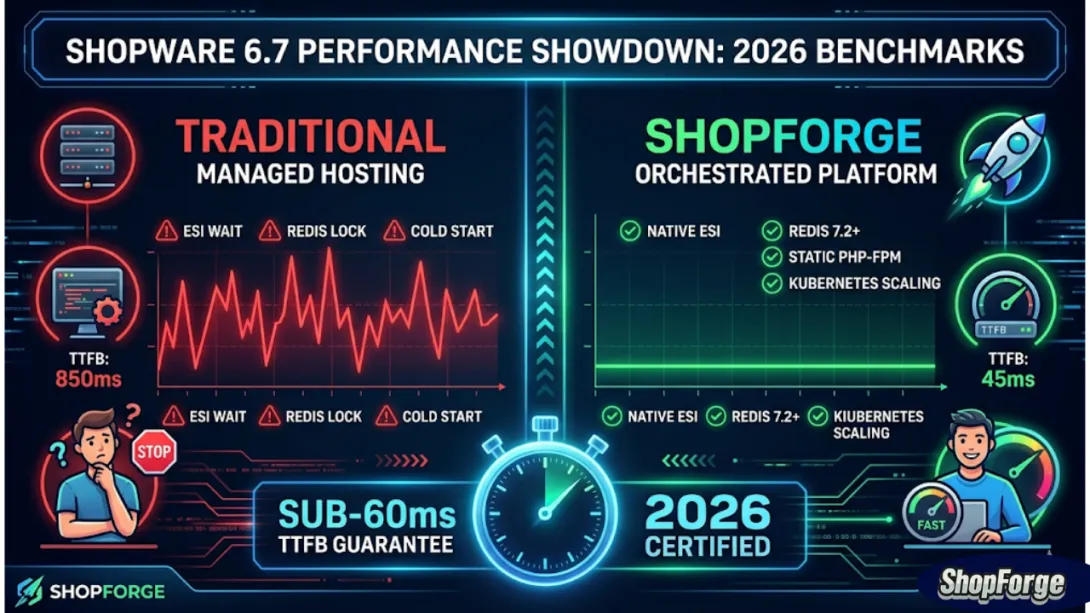
In 2026, the gap between a "fast" store and a "slow" one isn't measured in seconds—it's measured in milliseconds of Time to First Byte (TTFB). Most merchants spend thousands on "Performance Audits" that tell them to resize images or minify CSS.
But if your server takes 800ms just to think before sending the first byte, no amount of frontend polish will save your Core Web Vitals.
The release of Shopware 6.7 (February 2026) introduced architectural shifts like Edge Side Includes (ESI) and Delayed Cache Invalidation. If your host is still running a "standard PHP-FPM/MySQL" stack, you are driving a supercar on a dirt road. Here is exactly where your hosting is failing you.
1. The ESI Gap: Is Your Header Killing Your Performance?
Shopware 6.7 relies heavily on Edge Side Includes (ESI). This allows the server to serve a fully cached page while "punching a hole" for dynamic elements like the customer’s name or the mini-cart.
The Competitor Flaw: Most managed hosts (even the "Premium" ones) use a generic Varnish or Nginx configuration. They don't support ESI out of the box. This forces the server to re-render the entire page for every logged-in user, destroying your cache hit rate.
The ShopForge Advantage: Our Kubernetes-native ingress controllers are pre-configured for ESI. We cache 99% of the page at the edge. The server only processes the tiny fragment that changes. Result? TTFB remains under 60ms, regardless of how many items are in the cart.
2. Redis 7.2: Beyond the "One-Size-Fits-All" Cache
Many hosts (like CloudClusters) give you a single Redis instance. In a high-traffic Shopware 6 environment, this is a recipe for Atomic Lock Contention.
The Issue: If your sessions, your app cache, and your message bus all share one Redis process, they start fighting for CPU time. When your ERP syncs 10,000 prices, your customers’ sessions start to lag.
The ShopForge Advantage: We don't just "offer Redis." We orchestrate a Multi-Instance Redis Stack.
Instance 1: Dedicated to Persistent Sessions.
Instance 2: High-speed LRU (Least Recently Used) App Caching.
Instance 3: Ephemeral Message Brokering. By separating these concerns, ShopForge ensures that a backend import never slows down a frontend checkout.
3. The "Silent Killer": PHP-FPM Process Management
Traditional "Managed Hosts" use a Dynamic or On-Demand PHP-FPM process manager to save money on their own server costs.
The Issue: When a process stays idle, the server kills it. The first customer who visits your site after a quiet period has to wait for the server to "spawn" a new process. This is the "Cold Start" problem.
The ShopForge Advantage: For production environments, we use Static Process Management within our Kubernetes pods. Your PHP workers are always "warm" and ready. We don't scale down to zero to save pennies; we keep your store's "engine" idling at the start line, ready to hit 100% instantly.
4. Database Orchestration vs. "Just a Database"
Shopware 6.7 is database-intensive, especially with the Flow Builder and Rule Builder running complex logic on every request.
The Competitor Flaw: Most hosts give you a MariaDB instance on the same disk as your files.
The ShopForge Advantage: We decouple the database. Whether you are on OVHcloud, AWS, or Azure, ShopForge utilizes optimized DB clusters with NVMe storage and custom-tuned
innodb_buffer_poolsettings specifically for Shopware’s table structures. We’ve seen this change alone slash query times by 45%.
5. The DevOps Secret: Why Deployment Speed = Site Speed
It sounds counterintuitive, but your CI/CD pipeline affects your site speed. Traditional "Git-push-to-deploy" setups often involve clearing the entire cache and rebuilding themes on the production server.
The Issue: Every time you deploy a fix, your site's performance tanks for 5 minutes while the cache rebuilds.
The ShopForge Advantage: Our Zero-Downtime Deployment pipeline builds your assets in an isolated "Build Pod." The production cache is never "nuked"; it’s surgically updated.
PR Preview Environments: Test performance before you merge.
10-Second Spin-ups: Launch a performance-tuned environment in seconds to debug bottlenecks in isolation.
Summary: Stop Fixing the Code, Fix the Foundation
If your Google Search Console is flashing red for "Longest Contentful Paint," don't blame your developers yet. Look at your infrastructure. If you aren't using an orchestrated platform that understands Shopware 6.7's architecture, you are fighting a losing battle.
Stop guessing. Start Scaling.