One-Click Clone Environments for Shopware: The Definitive Guide to Risk-Free Testing
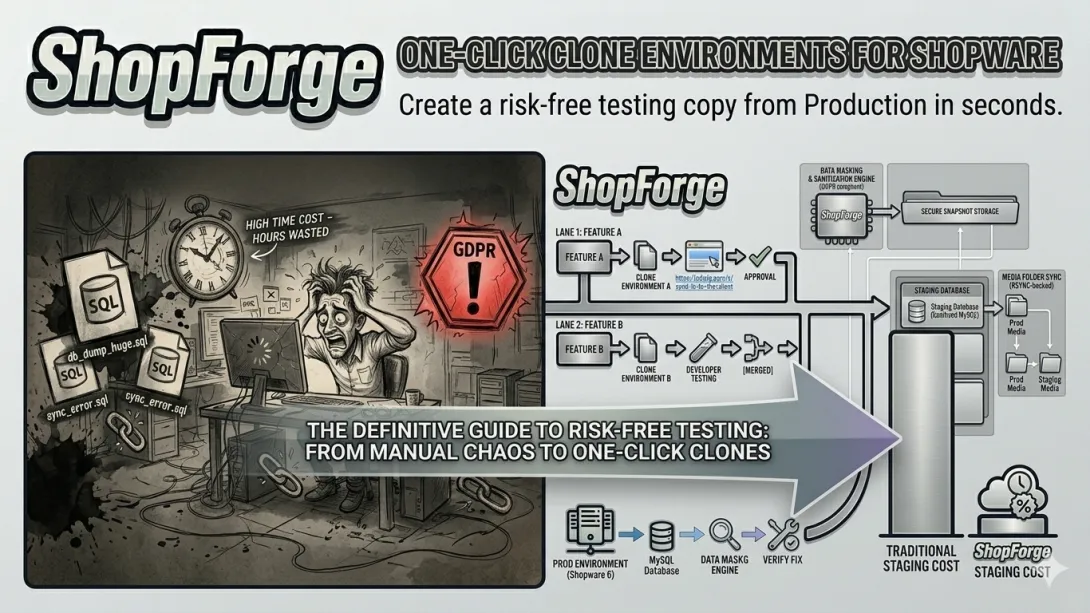
In the high-stakes world of Shopware 6 e-commerce, the distance between a successful deployment and a broken checkout is often just one un-tested plugin update. For agencies managing multiple high-traffic storefronts, the "testing hurdle" is the single biggest bottleneck to scaling.
The traditional approach to staging—manual syncing, environment parity issues, and configuration drift—is no longer sustainable. To maintain a competitive edge, teams need One-Click Clone Environments.
This guide explores why cloning is the future of Shopware development and how it eliminates the "fear of the deploy."
1. The Anatomy of a Shopware Testing Nightmare
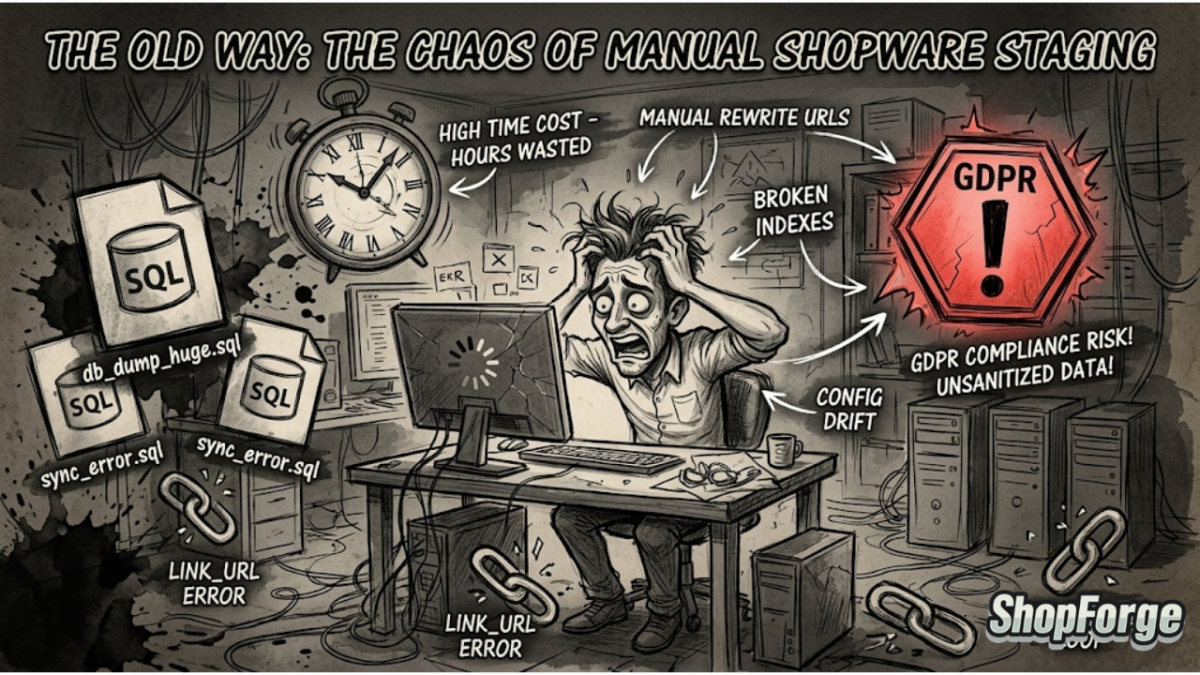
Before we look at the solution, we have to acknowledge why Shopware 6 is notoriously difficult to "just copy" manually.
The Database Dependency
Unlike simpler CMS platforms, Shopware 6 is deeply relational. A single product entity is tied to categories, properties, visibility rules, prices, and stock levels across multiple sales channels. When you manually export a production database to a staging area, you aren't just moving data; you’re moving a complex web of dependencies that often break when the APP_URL or environment variables change.
The Media Folder Bloat
A mature Shopware store can have hundreds of gigabytes of product images, thumbnails, and generated documents. Manually syncing these via FTP or RSYNC for every test cycle is a massive drain on developer time and bandwidth.
The "Works on My Machine" Fallacy
Most developers test locally (using Docker or DDEV). While these tools are excellent, they rarely match the exact PHP extensions, MySQL versions, or caching layers (Redis/Varnish) used in production. This "environment gap" is where 80% of production bugs are born.
2. What Exactly is a "One-Click Clone"?
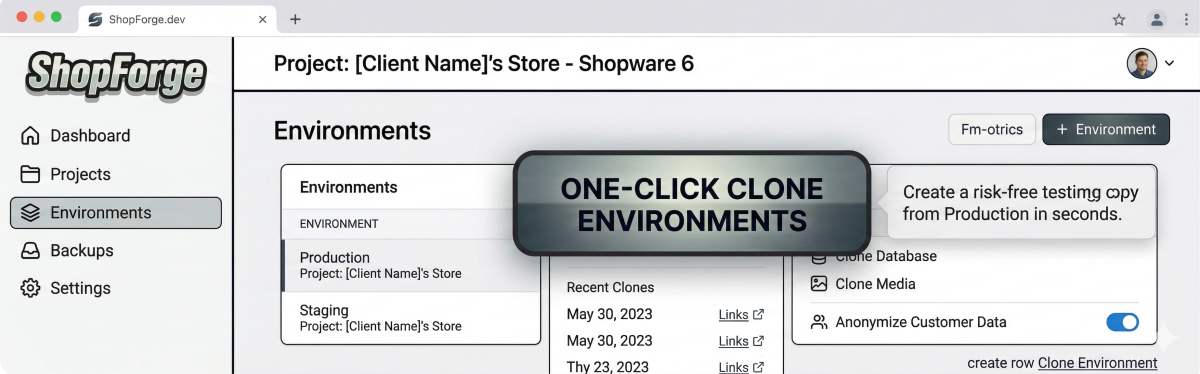
In the context of ShopForge, a one-click clone isn't just a backup—it’s a living, breathing instance of your store.
Instant Infrastructure Provisioning
When you trigger a clone, the system doesn't just copy files. It provisions a new set of containers—PHP-FPM, Nginx, MySQL, and Redis—that are architecturally identical to your production stack.
Automated Data Masking (The GDPR Factor)
One of the biggest risks in testing is using real customer data. A sophisticated cloning tool should include Data Masking. As the database is cloned from production to the sandbox, sensitive information like customer emails, passwords, and addresses should be obfuscated. This allows developers to test with "real-world" data volume and complexity without violating privacy regulations.
3. The Technical Advantages of Sandbox Parity
Why does it matter if the staging site is an exact clone?
Testing Major Shopware Updates
Moving from Shopware 6.5 to 6.6 (or future versions) is a significant undertaking. In a clone environment, you can run the update script, check for plugin compatibility issues, and fix theme regressions in a private space. If the update fails, you haven't lost anything—you simply kill the instance and try again with a different approach.
Plugin Conflict Resolution
The Shopware Store is full of incredible extensions, but they don't always play nice together. A one-click clone allows you to install that new ERP connector or AI-driven search tool and see exactly how it interacts with your existing stack.
Performance Benchmarking
Because the clone lives on the same cloud infrastructure (powered by DevPanel), you can run load tests. You can see exactly how a new feature impacts your TTFB (Time to First Byte) or checkout speed before your customers ever feel the lag.
4. Improving the Agency Workflow (and ROI)
Beyond the technical benefits, cloning has a massive impact on the bottom line.
Streamlining Client Approvals
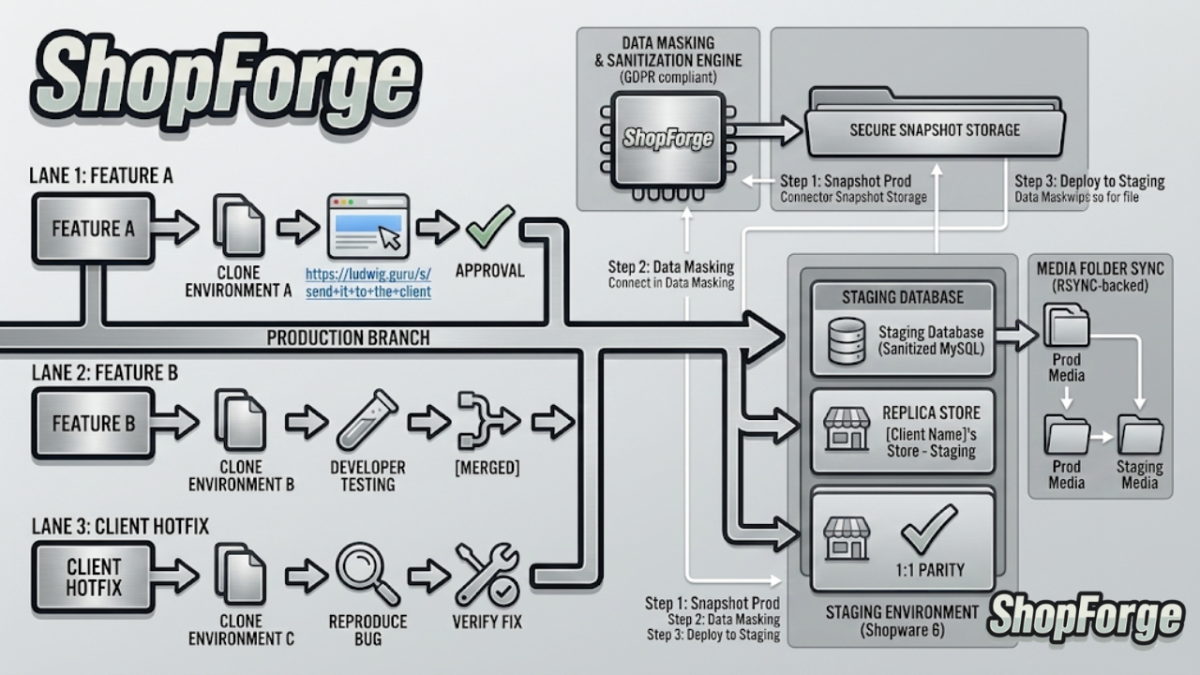
Agencies often struggle with "Client Feedback Loops." You finish a feature, but the client can't see it because the staging site is currently being used for something else. With one-click clones, every feature branch can have its own dedicated URL. You can send a link to the client for "Feature A" while your team continues working on "Feature B" in a separate clone.
Onboarding New Developers
Imagine a new developer joins your team. Instead of spending 4 hours setting up their local environment and troubleshooting database imports, they simply click a button in ShopForge and have a fully functional development environment ready in 3 minutes.
Eliminating "Hot-Fix" Anxiety
When a bug is reported on production, the clock is ticking. The ability to instantly clone the current state of production allows your team to reproduce the bug in a safe environment immediately. You can find the fix, verify it, and deploy it with 100% confidence.
5. The Role of Cloud-Native Tools (The ShopForge Edge)
This is where platforms like ShopForge.dev change the game. By leveraging the power of Kubernetes and Spot Instances, we make cloning not just fast, but affordable.
Temporary Environments: You only pay for clones while they are running. Once a feature is approved, delete the clone.
Git-Driven Deployments: Your clones can be tied to specific Git branches. Push code to
feature/new-checkout, and a clone environment spins up automatically.Zero Local Overhead: Your developers' laptops don't need to be high-end workstations struggling to run heavy Docker containers. The cloud handles the heavy lifting.
6. Best Practices for Managing Clone Environments
To get the most out of this technology, agencies should adopt a few key habits:
Tag Your Clones: Always label your environments by task (e.g.,
Issue-402-FixorClient-Demo-March).Regularly Refresh: Don't let a staging environment sit for months. Delete it and re-clone from production regularly to ensure you are testing against the latest data schema.
Automate Deletion: Set "auto-stop" rules for your clones to ensure they aren't running over the weekend when no one is testing, saving on infrastructure costs.
Conclusion: Make Stability Your Standard
In the modern e-commerce landscape, downtime is the enemy of growth. By implementing a One-Click Clone strategy, you aren't just buying a tool—you’re buying insurance for your brand and your clients.
Stop "testing in production" and stop wasting hours on manual syncs. Give your developers the freedom to innovate without the fear of breaking the store.
Ready to see it in action?
At ShopForge, we believe Shopware development should be as agile as the businesses it supports. Our platform is built by developers, for developers, to take the friction out of the cloud.
Start your first Shopware Clone on ShopForge today: Schedule a demo