Modern Dev/Test/Live Workflows
Automate CI/CD & Deployments
Bring Your Own Cloud (BYOC)
Built for Serious Agencies
Healthcare
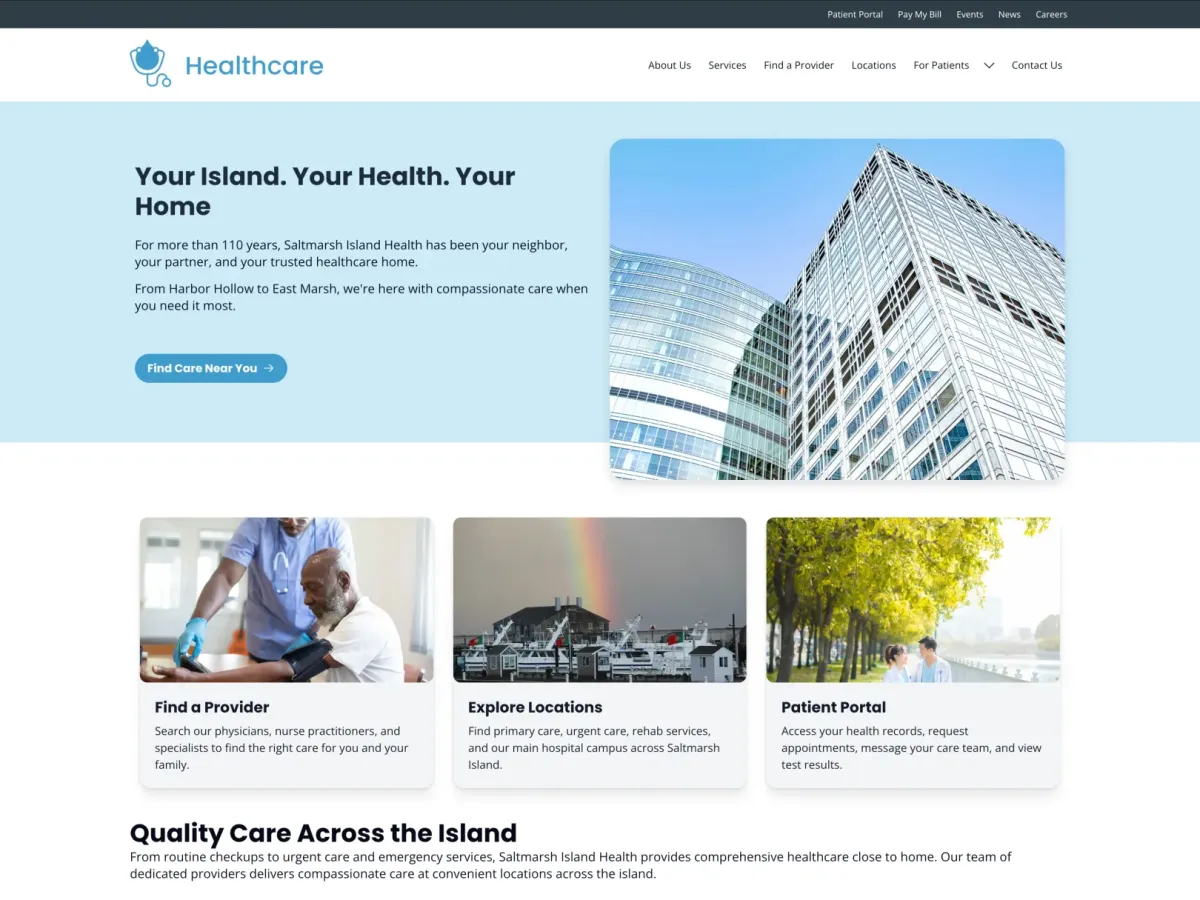
Healthcare organizations deserve websites that build patient trust from the first click. The Healthcare site template gives medical clinics, group practices, and hospital networks a complete, professionally designed digital foundation, all ready to launch in weeks, not months.
Beautiful, Patient-Centered Design
The template features the Diagnosis theme, a modern, mobile-first design crafted specifically for healthcare. Every element, from typography and color choices to layout and navigation, is designed to create a welcoming, trustworthy experience for patients. The interface is clean, accessible, and optimized for the ways patients actually search for care: finding providers by specialty or location, browsing available services, checking office hours, and registering for health events.
Help Patients Find the Care They Need
Built-in discovery features make it easy for patients to connect with your services. The searchable provider directory lets visitors filter by specialty, location, languages spoken, and whether providers are accepting new patients. Service pages highlight what you offer with clear descriptions, related providers, accepted insurance, and direct links to appointment booking. Location pages include interactive maps, office hours, parking and transit information, and accessibility details. Everything patients need is just a few clicks away.
Accessibility and Compliance from Day One
Healthcare websites must meet high standards for accessibility, security, and patient privacy. The Healthcare template is built to WCAG 2.2 Level AA standards, ensuring your site is usable by everyone, including visitors with disabilities. Privacy and security features like cookie consent management, CAPTCHA protection, secure form handling, and controlled access to internal resources help you meet compliance requirements without custom development work.
Launch Faster, With Confidence
Instead of starting with a blank canvas, you get pre-configured content types for providers, services, locations, events, news articles, and patient resources, and realistic demo content that shows exactly how your site will look and function. The intuitive Canvas page builder lets your team create and update pages without coding, while editorial workflows ensure content is reviewed and approved before publishing. The result: a professional healthcare website that reflects your organization's quality of care, ready to serve patients in a fraction of the time a custom build would require.
The Healthcare site template is freely available as an open-source project, developed and maintained by Kanopi Studios with deep expertise in healthcare digital strategy. Whether you're a small neighborhood clinic or a growing regional health system, Healthcare gives you the digital tools to serve your patients better starting today.